
Custom Query
Custom Query is the visual query builder: pick a source, set how many posts to show,
filter and order them, without writing anything. It's the query type most loops use.
Opening the query builder
- Select the loop element and open its Content tab.
- Set the query type to Custom Query.
- Click Edit Query to open the builder.
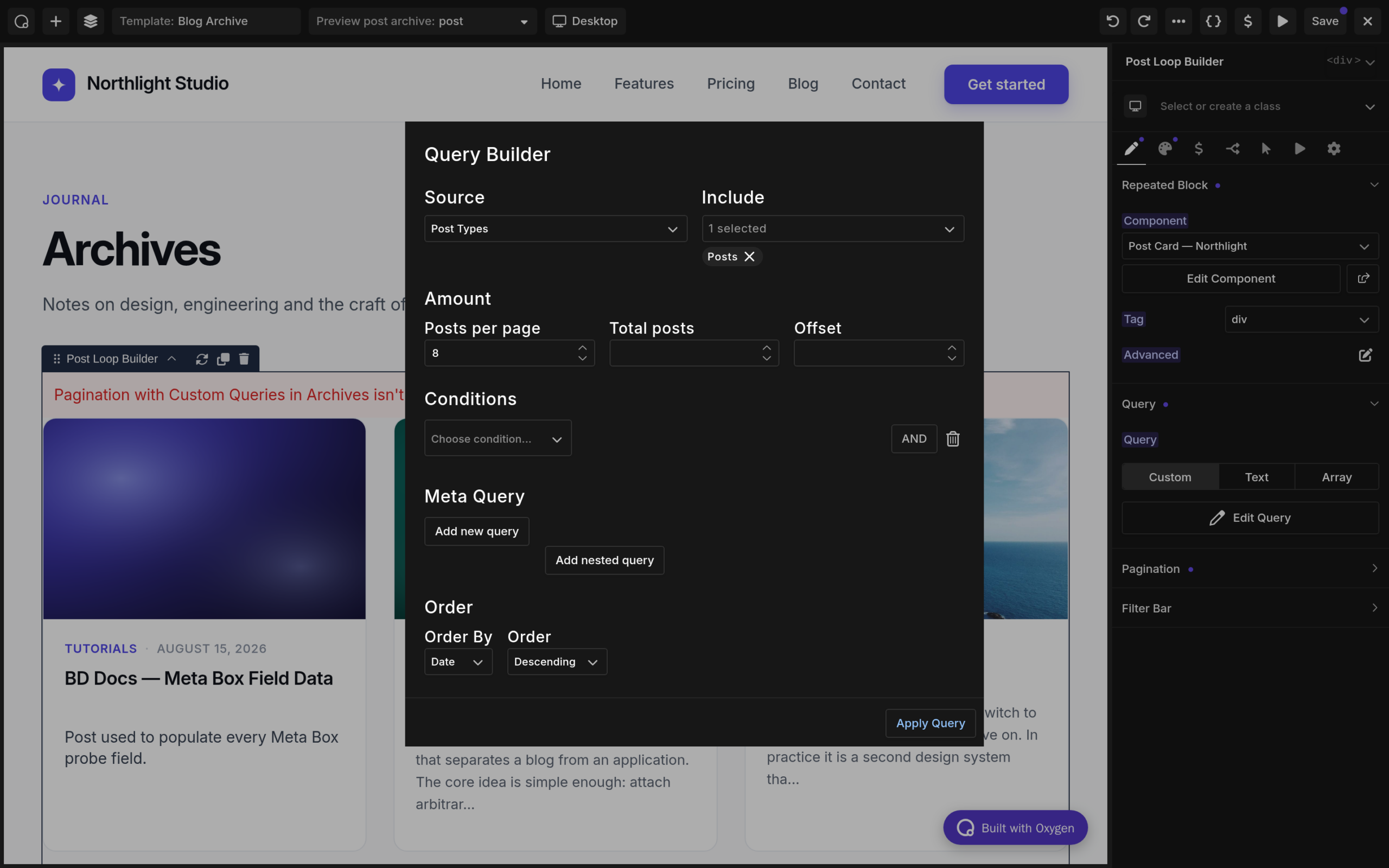
Choosing a source
There are three different source options available for selection.
-
Post Type: You can select either a single post type or multiple post types.
-
Related: Use the related source option to include post types based on taxonomy, including both default WordPress taxonomies and custom taxonomies.
-
ACF Relationship: For dynamic content based on ACF relationships, select the ACF relationship field to populate your loop.
How many posts
This area allows you to specify how many posts are shown in the loop.
-
Change the number of posts per page and the total posts to control how many posts show on one page and in the entire query.
-
Use the offset option to skip a certain number of posts at the beginning of your query.
Filtering
-
Apply conditions to filter posts within the loop, such as specifying a taxonomy or filtering by date.
-
Utilize meta query settings to filter results based on custom field values, including the capability for nested meta queries.
Ordering and excluding
-
In the order by section, select how you want to sort your posts, with options including date, title, modified date, comment count, menu order, random, and custom fields from ACF or Meta Box.
-
Filter posts by date to only include posts from a specific time frame, such as the past day, month, or year.
-
Choose to ignore the current post in your loop, useful for related posts sections to exclude the post being viewed.
For anything this can't express, the text query takes
REST API arguments and the array query takes PHP.