
Blog
The 4 Best Order Import Plugins for WooCommerce

When choosing an order import plugin for WooCommerce, the file you’re holding decides which one will work for you long before features or price come into the conversation. Some stores export one row per order, with every product in that order packed into a single cell. Shopify does the opposite and gives each item its own row, while some other platforms export orders as XML or Excel files instead of CSV.
WooCommerce leaves order imports to plugins, and a plugin that can’t read your layout turns the import into a spreadsheet job of shuffling line items between columns. I compared four order import plugins on how they handle those layouts and ranked them on what they do with the orders once they’re in.
Order Import Plugins Compared at a Glance
Check the formats column first. A plugin that can’t open your order file won’t import a single order from it, no matter how good the rest of its features are.
| Plugin | Order File Formats | How It Maps Your File | Starting Price |
|---|---|---|---|
| WP All Import | CSV, XML, Excel, JSON, TXT, ZIP, GZ | Automatic Setup, or drag and drop in Manual Setup | $169/yr (WooCommerce Import Package) |
| Customer/Order/Coupon CSV Import Suite | CSV, tab-delimited | All line items packed into one cell per order | $79/yr |
| WP Ultimate CSV Importer | CSV, XML, Excel | Drag and drop; matching column names map automatically | Free / Pro from $199 one-time |
| Woo Import Export | CSV, Excel, XML, JSON, TXT, ODS | Drag and drop | $229 one-time |
The sections below cover what each plugin does with an order once it’s imported, including how it links products and handles customer accounts.
I judged all four plugins against the same set of orders, saved once with one row per order and once with one row per item, the way Shopify exports them. Wherever the files ran, the matching products and customer accounts were already on the store, and I compared every plugin on four points.
File handling: Whether the plugin read both layouts as they were, or whether I had to rename columns and rebuild rows before it would import anything.
Product links: Whether every line item connected to an existing product, so the order showed the right item and price rather than an unlinked product name.
Customer matching: Whether imported orders attached to the right customer accounts and showed up in those customers’ order history.
Notifications: Whether the import ran quietly or emailed customers about orders they placed long ago.
Refunds and subscriptions were outside the test, since this list is about getting regular orders into WooCommerce with their links intact.
The 4 Best WooCommerce Order Import Plugins
1. WP All Import
⭐
Rating: 4.7/5 Stars (based on 1,960 reviews on WordPress.org)
💰
Pricing: From $169/yr (WooCommerce Import Package)
🎯
Best For: Stores importing orders from another platform’s export files
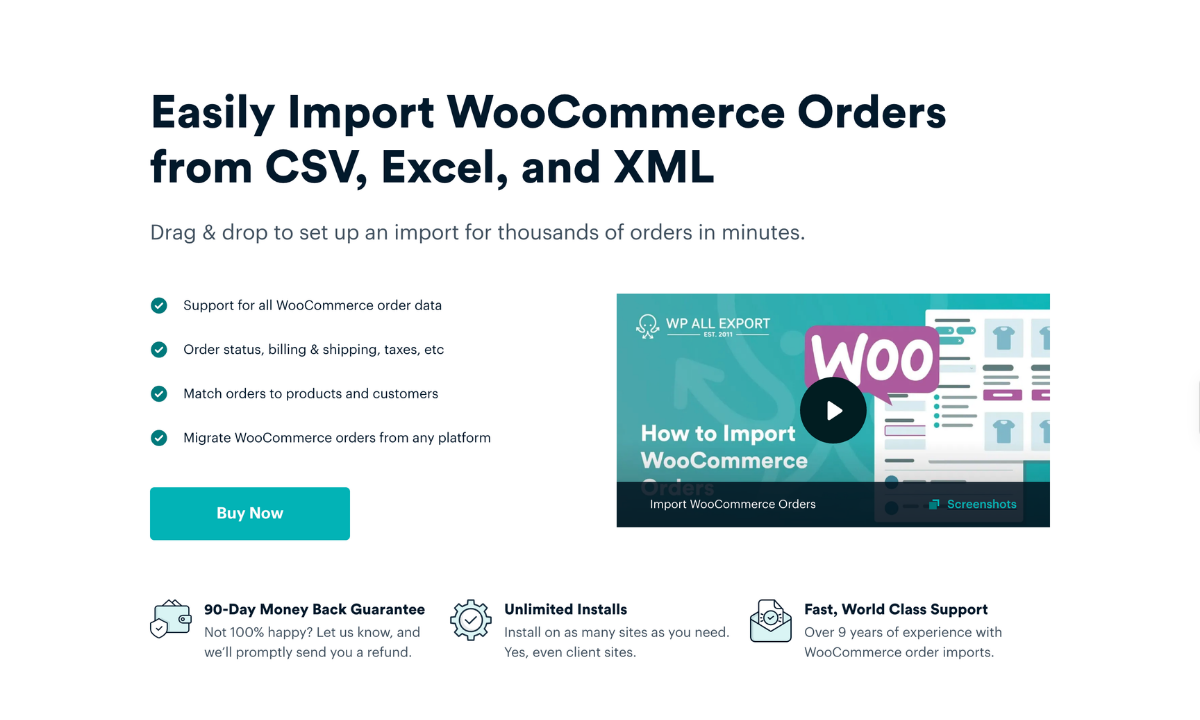
WP All Import is an import plugin for WordPress and WooCommerce that brings in orders from CSV, XML, Excel, JSON and TXT files without requiring a set column layout. WP All Import’s Automatic Setup maps an order file’s columns to WooCommerce order fields, and each line item links to an existing product by SKU, ID or title.
My Experience Using WP All Import
Order files are the kind of import I expect to have to clean up first, so I went in ready for a round of spreadsheet edits. However, neither of my test files needed one with WP All Import.
The first file was an Excel workbook that listed every product on its own row, so an order with three products took up three rows. I uploaded it through Automatic Setup, chose WooCommerce and then Orders, and WP All Import mapped the columns to WooCommerce order fields for me. Before anything ran, the Your Import Is Ready screen showed how many fields it had mapped and how many records it would import.
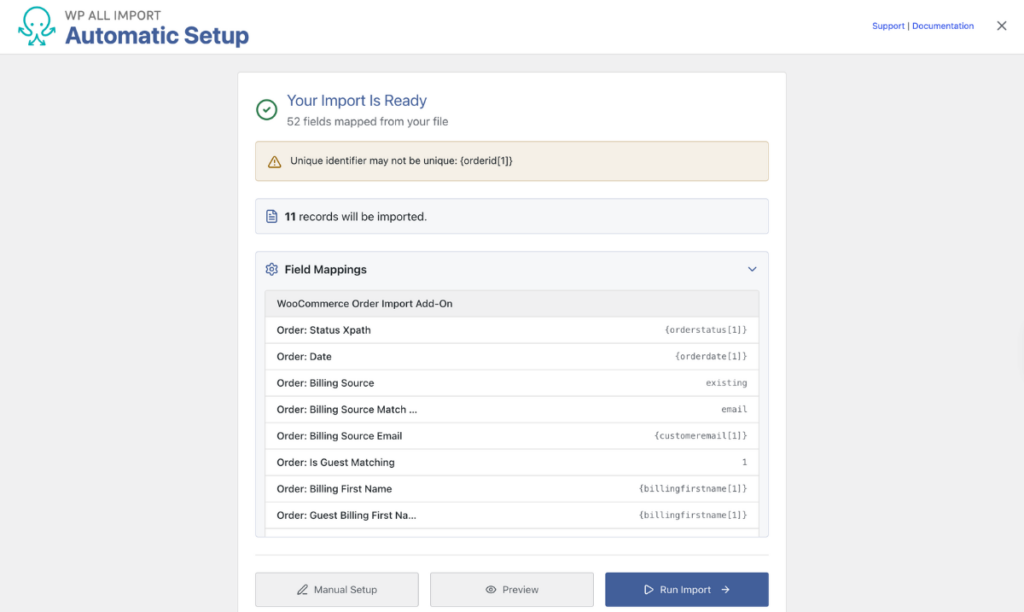
When the import finished, every multi-row order had come together as a single order. Each line item was linked to its existing product by SKU, each order sat under the matching customer account, and the totals matched the file.
The second file used the opposite layout: one row per order, with all of that order’s SKUs, quantities, and prices packed into the same cells and separated by pipes. I ran it through Automatic Setup first, then clicked Manual Setup to fine-tune the line items. The automatic mappings carried over, so there was nothing to redo. In the Products tab, I set how the pipe-separated values should split, and WP All Import turned each row into separate line items and added the order’s shipping line.
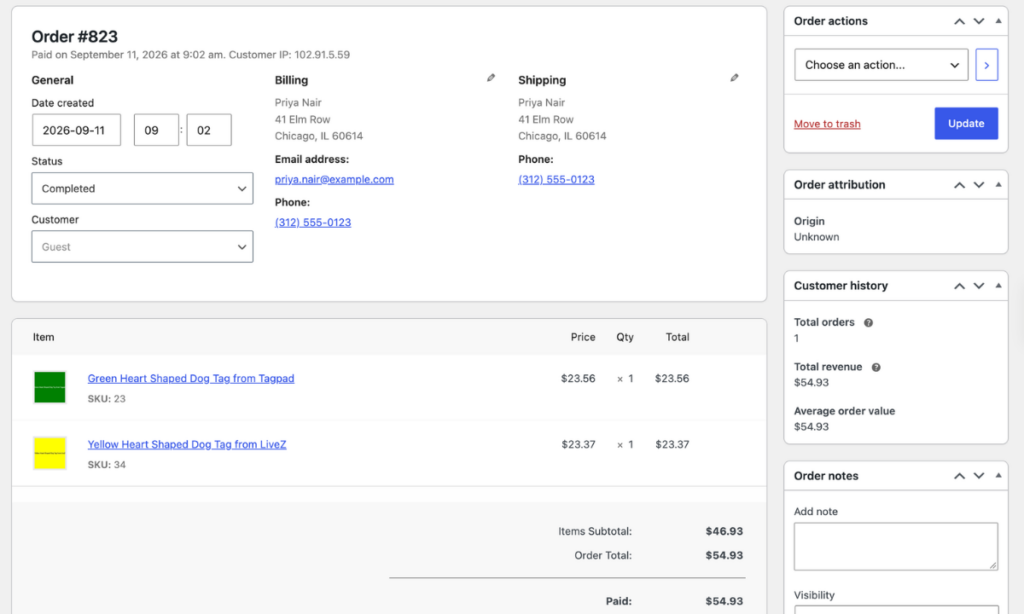
The pass through Manual Setup added a few minutes, but it let me decide exactly how line items, shipping and totals came in. WP All Import imports order totals as they appear in the file rather than recalculating them, which is what you want when bringing in historical orders.
What I Liked
- WP All Import reads order files in CSV, XML, Excel, JSON and TXT formats, and it can pull them from a URL or an FTP/SFTP server instead of a manual upload.
- Customer emails are blocked by default during order imports, so customers don’t receive confirmations for orders they placed months ago.
- WP All Import leaves product stock levels untouched when importing orders, which keeps historical imports from reducing inventory a second time.
- Orders with no matching customer account can come in as guest orders rather than being skipped.
- Running the same order import again updates the orders already in WooCommerce instead of creating duplicates.
- Inline PHP functions can reformat dates, currencies or status values during the import, so small mismatches don’t send you back to the spreadsheet.
What I Didn’t Like
- The free version of WP All Import doesn’t import orders, so you’ll need the WooCommerce Import Add-On, which comes in the paid packages.
- The order screen in Manual Setup has a lot of fields spread across its tabs, so your first manual mapping takes some time to get familiar with.
- Running order imports on a schedule without cron jobs requires Automatic Scheduling, which is a separate subscription.
Pricing
Importing WooCommerce orders with WP All Import starts at $169/year with the WooCommerce Import Package, which combines Import Pro with the WooCommerce Import Add-On. The free version covers general WordPress imports but not orders. Stores that also import ACF or JetEngine data can move up to the Import Pro Package at $199/year. The $299/year Import + Export Pro Package adds WP All Export for moving orders between sites. If you’d rather pay once, the Lifetime License costs $1,299, and each option carries a 90-day money-back guarantee.
Recommended For
WP All Import is the ideal choice for WooCommerce stores whose order files arrive in a layout they can’t control, including files with one row per product and files that pack every product into a single row.
2. Customer/Order/Coupon CSV Import Suite
⭐
Rating: 3.2/5 Stars (based on 9 reviews on WooCommerce.com)
💰
Pricing: From $79/yr (no free version)
🎯
Best For: Bulk updates to existing orders from a CSV file
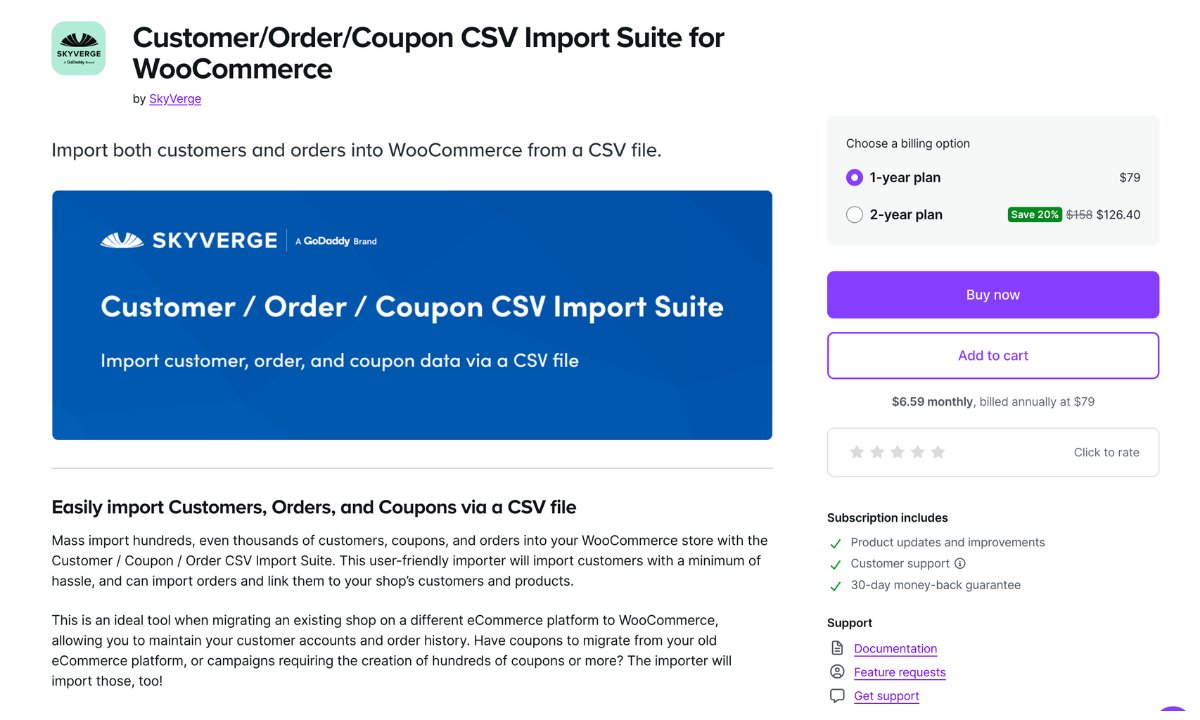
Customer/Order/Coupon CSV Import Suite is a WooCommerce extension that imports orders, customers and coupons from CSV files. It expects one row per order. All of an order’s products go into a single line items cell.
My Experience Using Customer/Order/Coupon CSV Import Suite
Lining my two test files up against this extension’s import format made one thing clear quickly: neither would go in as it was. The extension reads CSV and tab-delimited files only, so the Excel workbook would need converting first, and its FAQ warns that files saved from Excel may lose special characters.
Layout was the bigger hurdle. The extension expects one row per order, with every product written into a single line items cell in its own format. My one-row-per-item file needed rebuilding so each order’s products sat together on one row, and the pipe-separated file still needed its SKU, quantity, and price columns combined into that cell.
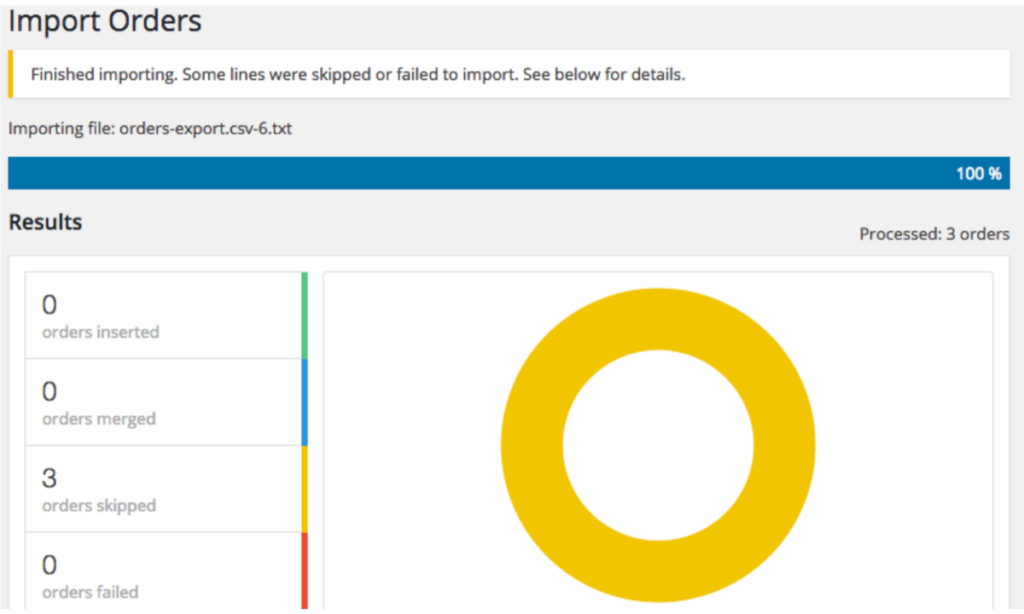
Before the import runs, the extension shows a preview of the file so you can confirm it picked up the right delimiter. Each line item also needs its own line total, not just a unit price, so files that only list unit prices would need those totals worked out first.
What I Liked
- Import files can come from an upload, a URL or file path, or pasted data.
- Orders can include more than one shipping method.
- Order notes and refunds can be imported.
- Files from its companion CSV export extension can be imported directly.
What I Didn’t Like
- Shipping, tax, fee and coupon details each need their own specially formatted column.
- WooCommerce Subscriptions can’t be imported.
- CSV files saved from Excel may lose special characters during import.
- Mapping options are limited to the column names in its documented format.
Pricing
The extension is billed annually through the WooCommerce.com Marketplace. One year costs $79 and a two-year term costs $126.40, with refunds available within 30 days. There’s no free tier.
Recommended For
Customer/Order/Coupon CSV Import Suite is a match for stores that need to bulk-update order statuses or add tracking numbers to orders already in WooCommerce.
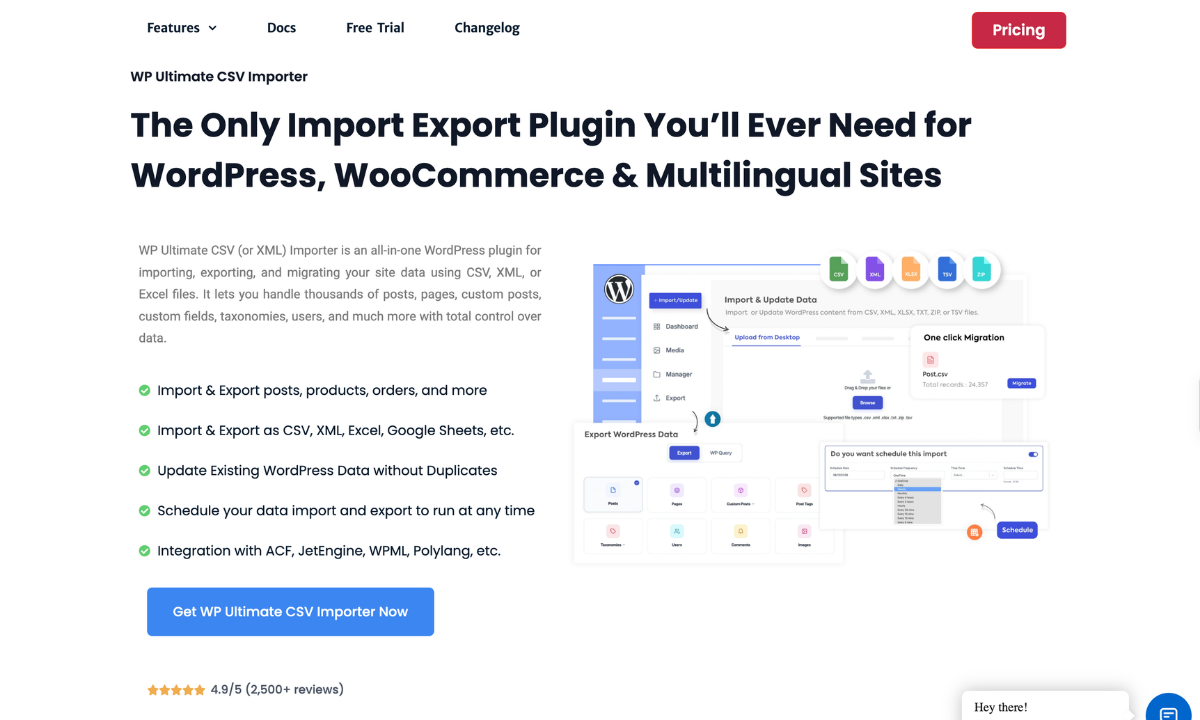
3. WP Ultimate CSV Importer
⭐
Rating: 4.4/5 Stars (based on 580+ reviews on WordPress.org)
💰
Pricing: Free; Pro from $199 (one-time)
🎯
Best For: Stores already using it for other WordPress content imports
My Experience Using WP Ultimate CSV Importer
I ran two files through the free version and its WooCommerce add-on: my own one-row-per-item order file, and the sample orders file from Smackcoders’ documentation. Mapping took the most effort. In Advanced Mode, every order field started at “–select–”, and Drag and Drop Mode showed my source data one record at a time.
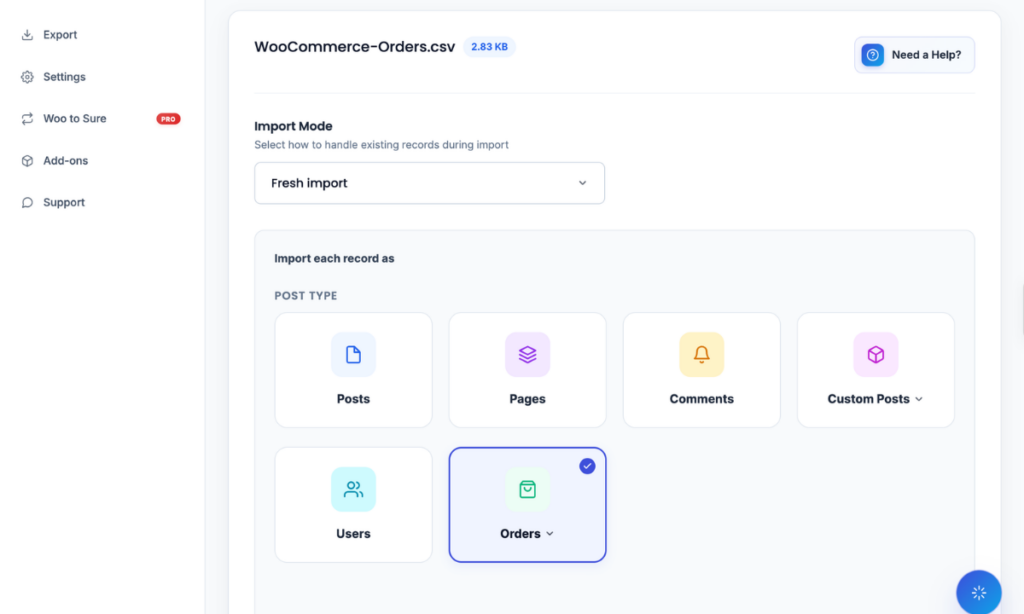
The line item fields were the hardest to place. They’re labeled with raw keys like “ITEM: line_tax_data” and listed right beside the fee fields, so working out where quantities, prices and SKUs belonged took some trial and error.
Orders came through once the file followed Smackcoders’ own sample layout. All three sample orders landed in WooCommerce with their original dates and statuses, so files exported from other platforms will need reshaping to match that layout first.
What I Liked
- A Validate CSV button checks the file before the import starts.
- Mapping setups can be saved as templates for later imports.
- Maintenance mode can be switched on while an import runs.
- Sample order files are provided in the documentation.
What I Didn’t Like
- Order files with one row per product need reshaping to its sample layout before orders are created.
- Line item fields are listed under raw meta keys, right beside fee fields.
- Orders imported from the sample file showed $0.00 totals.
- The order guide doesn’t explain how to lay out an order with several products.
Pricing
The core plugin and its WooCommerce add-on are both free on WordPress.org. The Pro version is a one-time purchase starting at $199, with the top plan at $299, and Pro plans cover unlimited sites. Pro also needs the free plugin installed and active to run.
Recommended For
WP Ultimate CSV Importer suits sites that already use it to import posts, users or other WordPress content and want orders handled in the same tool.
4. Woo Import Export
⭐
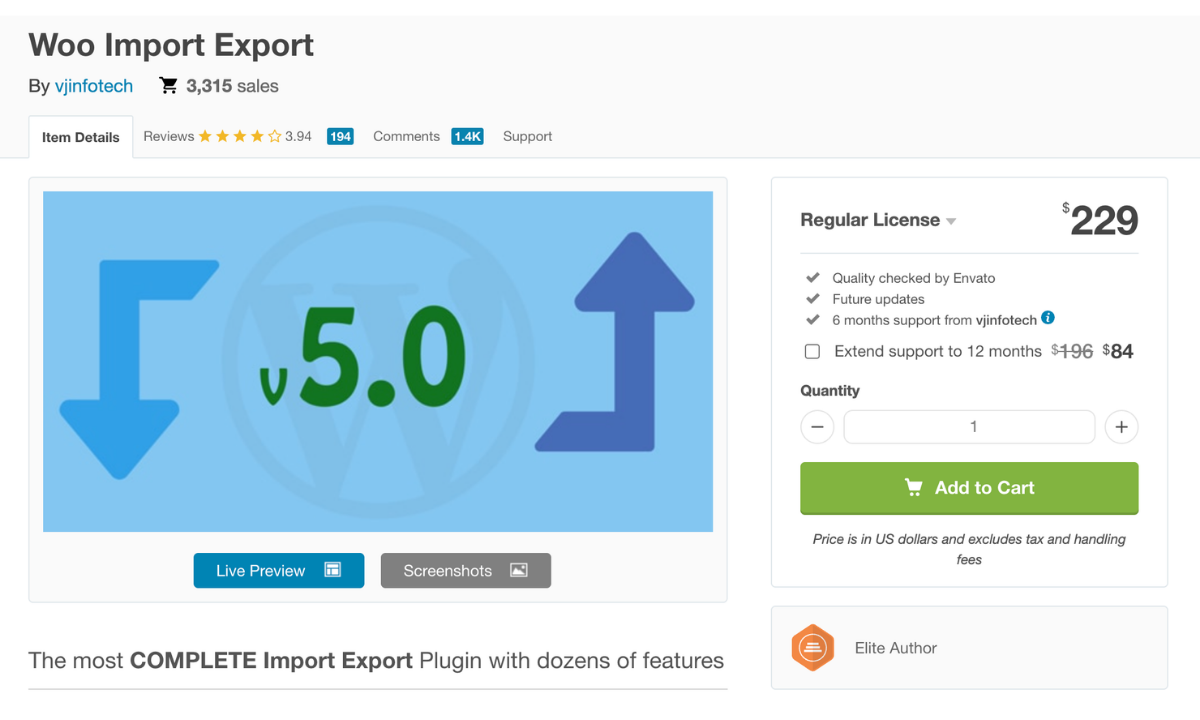
Rating: 3.9/5 Stars (based on 194 reviews on CodeCanyon)
💰
Pricing: $229 one-time; free Lite version
🎯
Best For: Stores that need to filter rows out of an order file before importing
Woo Import Export handles several types of store data, and WooCommerce orders are one of them. Its import filters apply to rows in the uploaded file.
My Experience Using Woo Import Export
I ran my one-row-per-item order file through the developer’s live demo. Setup moves through numbered steps, starting with a preview that pages through the file one record at a time before anything is mapped.
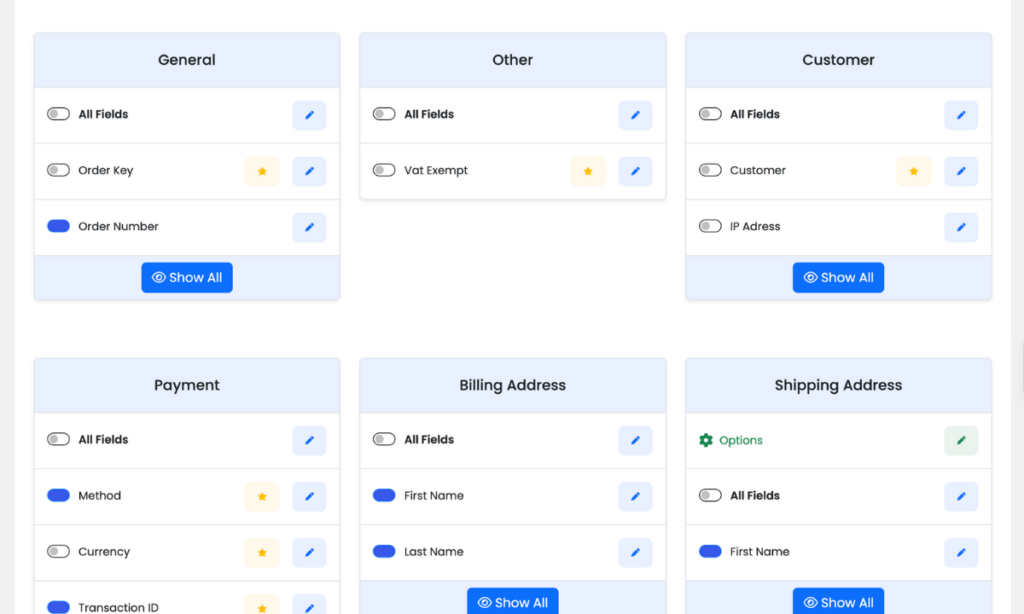
Mapping is split into cards for each part of an order, such as Payment, Billing Address, Product, Fee and Coupon, and only the fields switched on in those cards are imported. A handful were detected and switched on automatically, and the rest are set through each field’s edit icon.
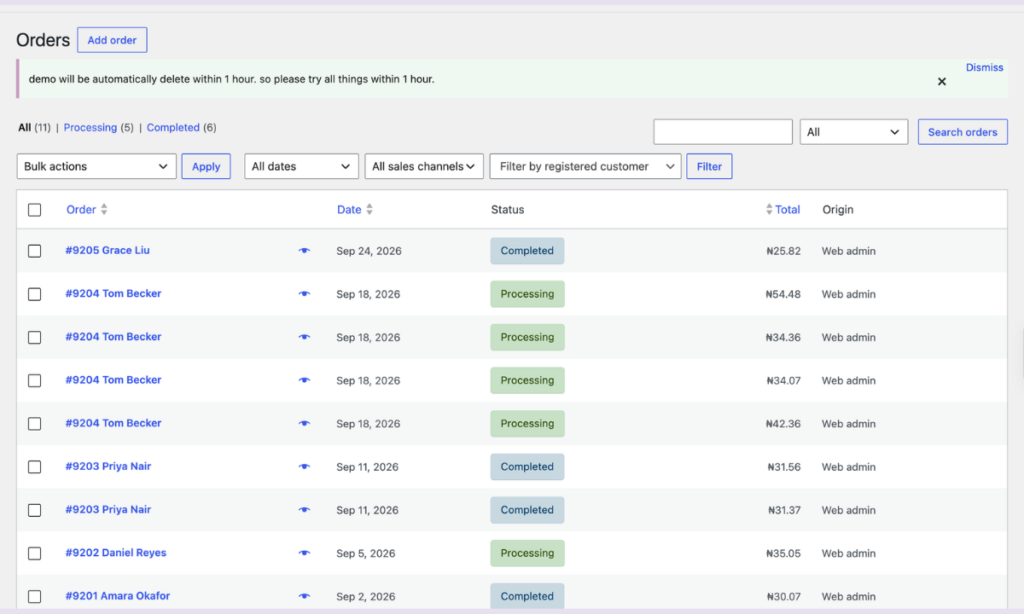
The import took three seconds and created 11 orders from 11 rows. Customer names, dates and statuses came through, but every product row became a separate order, so an order with four products showed up as four orders sharing one order number.
What I Liked
- Order files can be pulled from a URL or an FTP server, or reused from an earlier import.
- Compressed archives such as ZIP and RAR can be uploaded as they are.
- Rows can be filtered out of the file before mapping starts.
- Import settings can be saved and loaded for later runs.
What I Didn’t Like
- Order files with one row per product are imported as separate orders that share an order number.
- Columns from files the plugin didn’t export are only partly detected, so most order fields have to be set one at a time.
- Each field has to be switched on in its card before it’s imported, so a missed toggle leaves that data out.
- The setup screen recommends CSV or XML for the best performance, even though Excel files are accepted.
Pricing
Woo Import Export costs $229 as a one-time purchase on CodeCanyon, and a free Lite version is also available.
Recommended For
Woo Import Export suits stores whose order files already list one order per row and need some of those rows filtered out before importing.
Which Is the Best Order Import Plugin for WooCommerce?
I judged every plugin on this list against the same order file, and the results came down to layout. My one-row-per-item file became five complete orders in WP All Import, with each product on the order it belonged to. Woo Import Export turned those same 11 rows into 11 separate orders. WP Ultimate CSV Importer produced orders once the file matched its own sample layout, and Customer/Order/Coupon CSV Import Suite needs every product in an order packed into a single cell before it can read the file.
WP All Import is the order import plugin I’d recommend for most WooCommerce stores because it works with the order file you already have instead of asking you to rebuild it. Its Automatic Setup maps an order file’s columns to WooCommerce order fields, and Manual Setup is there when a pipe-separated layout needs fine-tuning. Order totals also come in exactly as they appear in the file, which ensures that historical sales figures stay intact.
Common Questions About Importing WooCommerce Orders
Can you import orders into WooCommerce?
Yes. WooCommerce doesn’t include a built-in order importer, so importing orders requires a plugin. WP All Import imports WooCommerce orders from CSV, XML, Excel and JSON files, links each line item to an existing product, and attaches each order to a matching customer account or brings it in as a guest order.
How to import orders with multiple products into WooCommerce
Orders with multiple products can be imported into WooCommerce with WP All Import, which groups rows that share an order ID into a single order:
- Lay out the file with one row per product, repeating the order ID on every row that belongs to the same order.
- Go to All Import › New Import, click Set up automatically and upload the file.
- Choose WooCommerce, then Orders, and click Start Automatic Setup.
- Check the Field Mappings on the Your Import Is Ready screen. If the products are pipe-separated in a single row instead, click Manual Setup and set how the values split in the Products tab.
- Click Run Import. Each order is created once, with every product added as its own line item.
How do I import Shopify orders into WooCommerce?
Shopify orders can be imported into WooCommerce with WP All Import. In Shopify, open Orders, click Export and download the CSV, which lists each product on its own row with the order details repeated. Import your products into WooCommerce first so the line items have something to link to. Then go to All Import › New Import, click Set up automatically, upload the Shopify CSV, choose WooCommerce and Orders, and click Start Automatic Setup. With the order number set as the unique identifier, rows that share an order number are combined into a single WooCommerce order.
Does importing orders reduce stock in WooCommerce?
No, not with WP All Import’s default settings. WP All Import leaves product stock levels untouched when importing orders, so bringing in historical orders doesn’t reduce inventory a second time. Stores that want imported orders to deduct stock, such as live orders arriving from a marketplace, can add a short code snippet that runs WooCommerce’s wc_reduce_stock_levels() function after each order is saved.
Further Reading
Get Oxygen
Build it your way with Oxygen.
$199.50
once — unlimited sites, no renewal
Not per year, not per site, not per seat. 60 day money back guarantee.