
5 Best Plugins for WooCommerce Product Import from CSV

When a supplier sends you a product list, it usually arrives as a CSV file, and the obvious first tool is WooCommerce’s built-in importer on the Products page. Upload the file, match the columns to product fields, and your products land in the store with their images.
That works until a supplier file stops being standard:
- The column mapping is one-to-one, so a value that doesn’t match its target field’s format has to be corrected in the file first.
- There’s no way to transform data during the import, so wholesale prices that should be retail, or image URLs wrapped in quotes, import as-is.
- There’s no filtering, so importing a subset of a supplier’s list means trimming the file beforehand.
To handle supplier files the way they actually arrive, you’ll need a CSV import plugin, and in this article, we’ll share the five best available.
Key Features to Look for in a CSV Product Import Plugin
Certain features separate a smooth CSV product import from a frustrating one. Here’s what to look for before you choose:
- Automatic Field Mapping: The plugin maps incoming CSV columns to WooCommerce product fields for you, instead of requiring a one-to-one dropdown match for every column.
- User-Friendly Interface: Drag-and-drop field mapping, plus a preview of imported products before anything goes live.
- Advanced Image Handling: Downloads images from remote URLs, manages image titles and alt text, and supports galleries for variable products.
- Variable Product Support: Creates variations from parent products and handles multiple attributes per variation.
- Update and Merge Options: Updates selected fields on existing products, with skip or update choices for records already in the store.
- Data Manipulation: Works with supplier files exactly as they arrive, no reformatting required.
WP All Import is the only plugin on this list that meets every one of these criteria for a WooCommerce CSV product import.
Now that we know what import features to look for apart from the basic features, let’s look at the best WooCommerce CSV Product Import plugins.
Best WooCommerce CSV Product Import Plugins
Here are the five plugins, ranked by how well they handle supplier CSV files exactly as they arrive. For each one, we’ll cover what it does well, where it falls short, and what it costs.
1. WP All Import
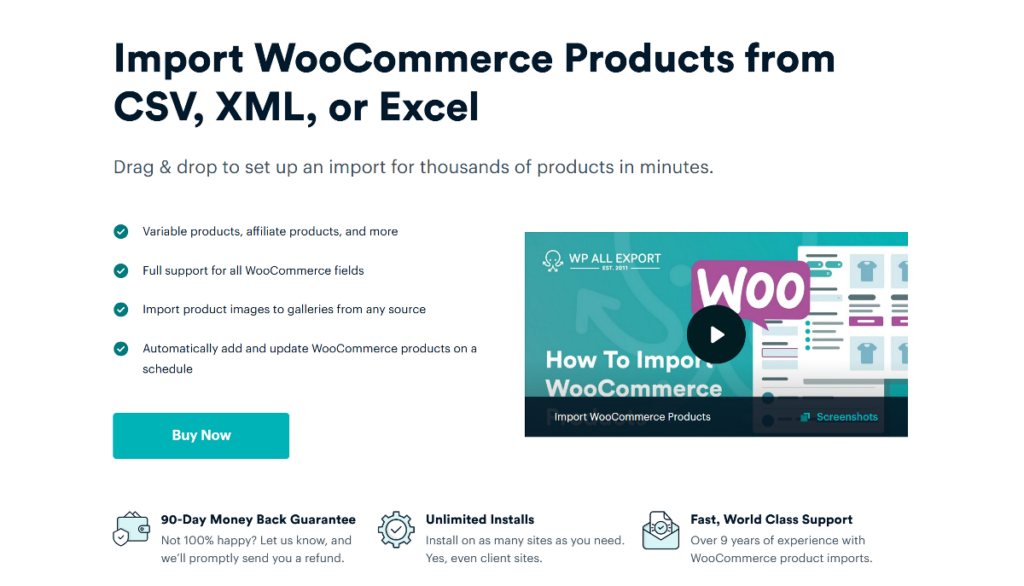
WP All Import makes importing WooCommerce products from a CSV file simpler than any other plugin on the market. Instead of forcing store owners to learn WooCommerce database schemas or manually connect dozens of spreadsheet headers to product attributes, WP All Import handles the initial configuration on its own through Automatic Setup. Once you upload a CSV file and choose WooCommerce Products, the plugin inspects the incoming columns, identifies the product structure, and completes the field mapping automatically.
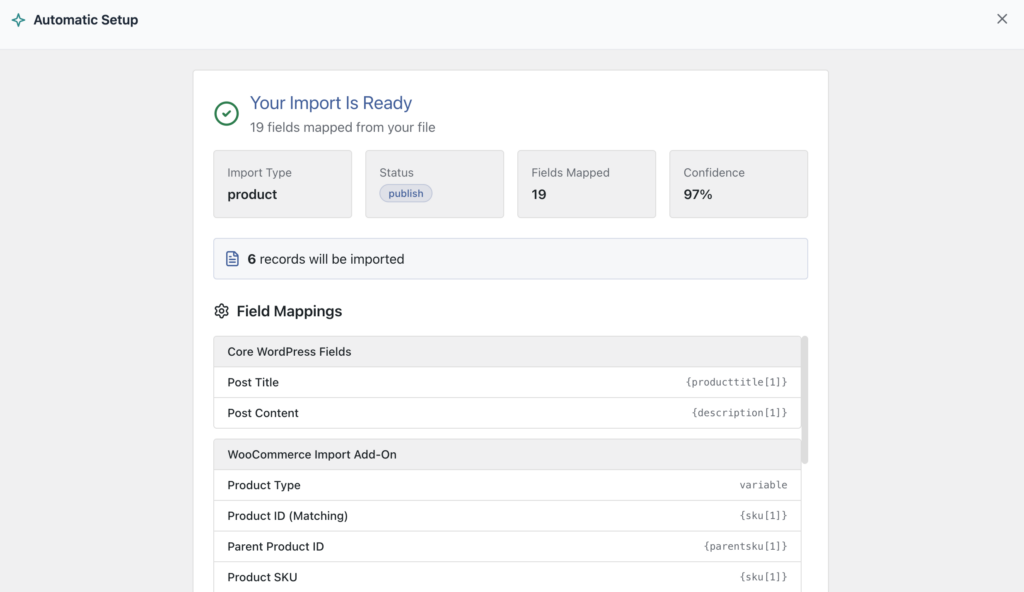
Before committing any data to the store, WP All Import presents a summary screen showing the total count of mapped columns alongside an overall confidence score. For most supplier spreadsheets, the setup ends right there: you can review the match at a glance and run the import in a single click. There is no requirement to build manual templates or memorize field names, which turns what used to be a tedious configuration chore into a quick, predictable routine.
When supplier CSV files arrive with formatting quirks, WP All Import provides the depth to resolve them without touching the original spreadsheet. Product images are a prime example. In many supplier files, multiple photo URLs are bundled into a single cell separated by pipe characters or commas. Through its visual interface, WP All Import lets you specify that separator character directly, instantly splitting the string into an ordered product gallery and setting the first photo as the featured image.
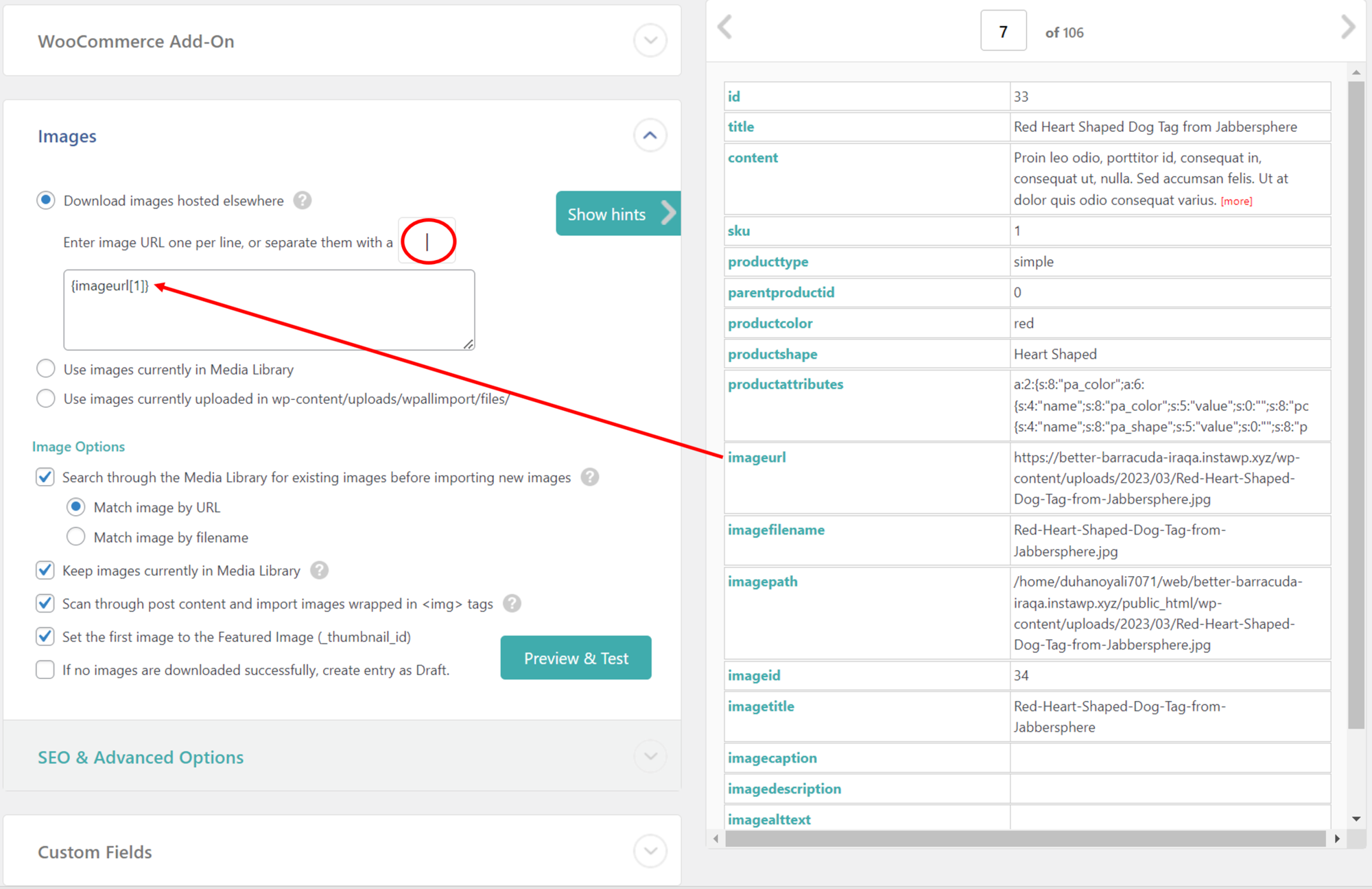
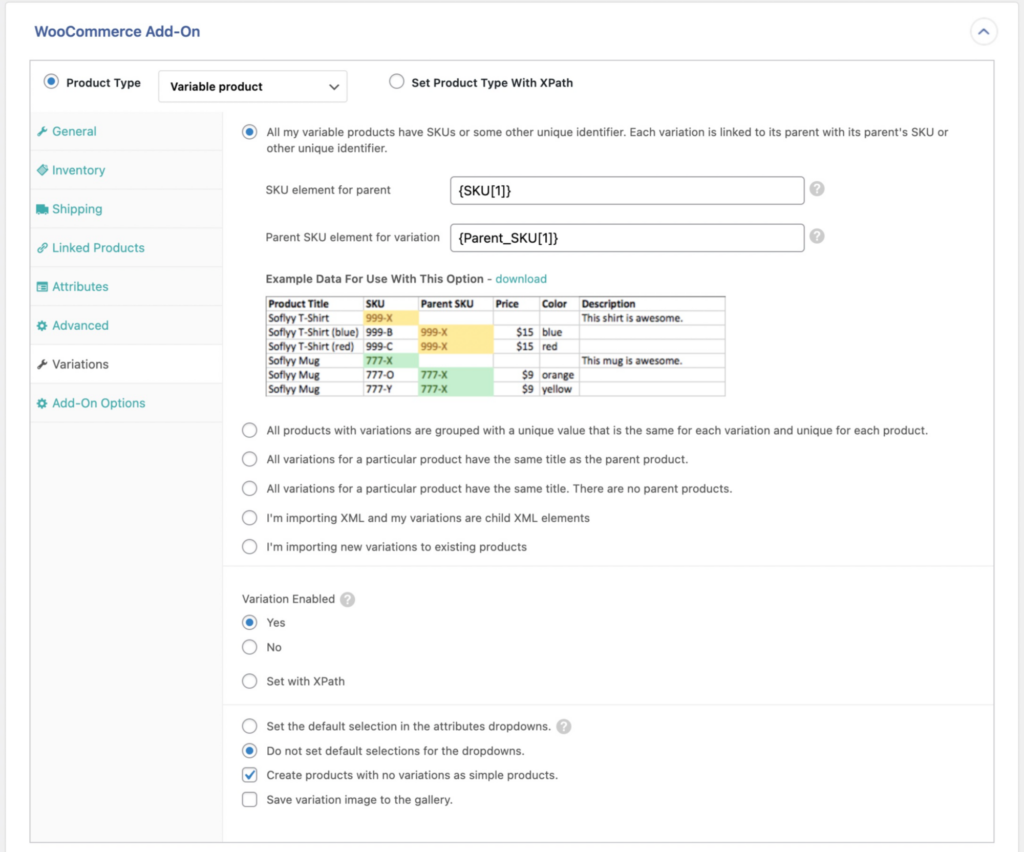
The plugin also accommodates irregular column structures without throwing errors. If a supplier spreadsheet distributes photos across multiple separate columns (such as Image 1, Image 2, Image 3) where some rows leave later columns blank, WP All Import automatically ignores empty fields on a per-product basis. Handling variable products follows the same flexible approach: the plugin supports all standard variation structures, allowing parent and child rows to link accurately through SKUs, IDs, or group identifiers without requiring the spreadsheet to match a rigid layout.
For data adjustments that go beyond visual settings, WP All Import includes a built-in PHP function editor that modifies incoming values during the import itself. For example, if a supplier provides wholesale pricing and your store requires retail pricing, you can apply a quick calculation directly to the regular price field to calculate your markup across thousands of items in one pass. The same editor resolves structural irregularities, like stripping unexpected quotation marks from image URLs or combining split title fields.

This balance between automatic mapping and granular control is why WP All Import remains a popular choice for CSV product imports.
Pricing
WP All Import offers a free version on WordPress.org with basic import features. To access WooCommerce product importing, custom field support, and scheduling, you will need the WooCommerce Import Package, which starts at $169 per year for unlimited site activations.
2. Woo Import Export

Woo Import Export provides a multi-step setup wizard for importing product catalogs from CSV files into WooCommerce. Rather than configuring fields automatically on upload, the plugin requires store owners to walk through sequential setup tabs and map spreadsheet headers to WooCommerce fields manually. It covers all standard WooCommerce catalog types, including simple, grouped, external, and variable products.
The plugin provides visual features to manage common CSV formatting challenges. When a supplier file bundles several photo URLs into a single cell, you can define a separator character to divide those entries into an image gallery. It also includes dedicated settings for serialized custom fields, which allows multiple values stored inside a single spreadsheet cell to be unpacked into individual key-value pairs during the import process.
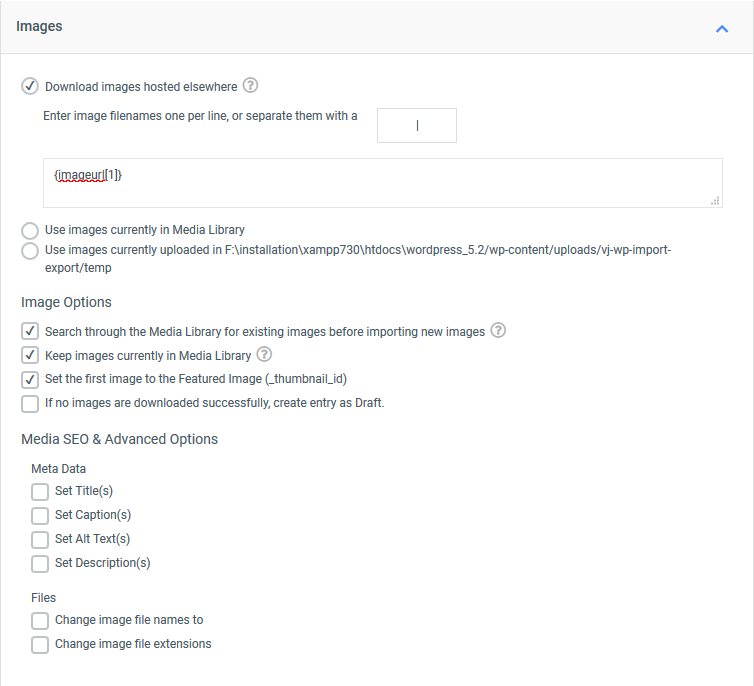
Variable products are configured through a dedicated variations tab. Store owners can link child variations to their respective parent records using product SKUs or parent ID numbers. However, because the plugin does not automatically detect the variation logic of the incoming spreadsheet, you must select the matching relationship model manually before running the import.
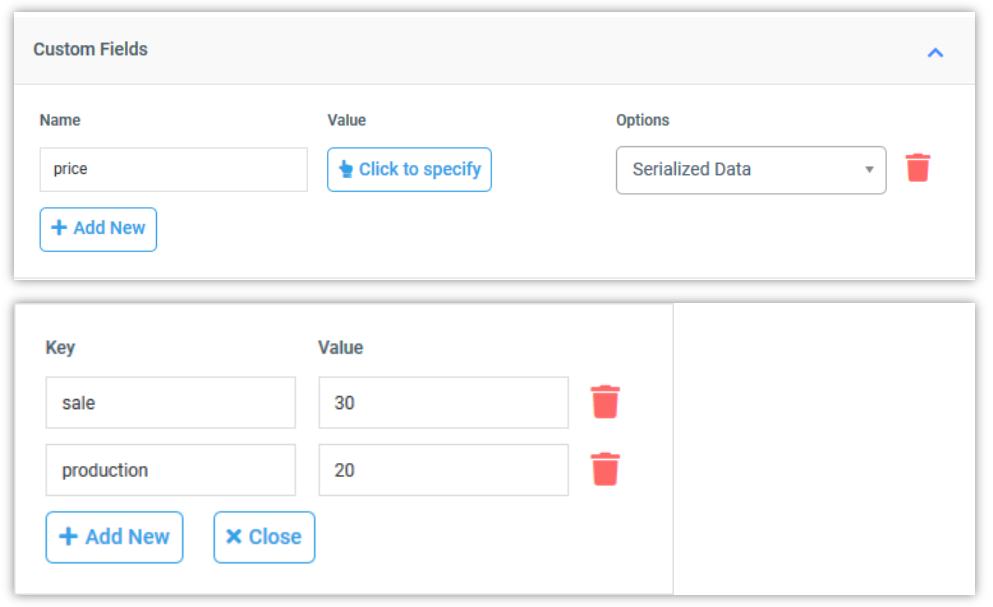
The main challenge with Woo Import Export appears when incoming spreadsheet data requires transformation. The plugin does not include an inline function editor within its field mapping screens. If wholesale prices need calculating into retail prices, or if date formats conflict with WooCommerce database requirements, the values cannot be recalculated inside the import wizard. Instead, store owners must write custom PHP functions inside their active theme’s functions.php file and execute those functions using custom shortcodes during the import pass. Furthermore, its capabilities are centered around WooCommerce data, meaning it does not support imports across all core WordPress post types and taxonomies.
Pricing
There’s no free version of Woo Import Export available. The Pro version with advanced features costs $229 for a single site license.
3. Import WP
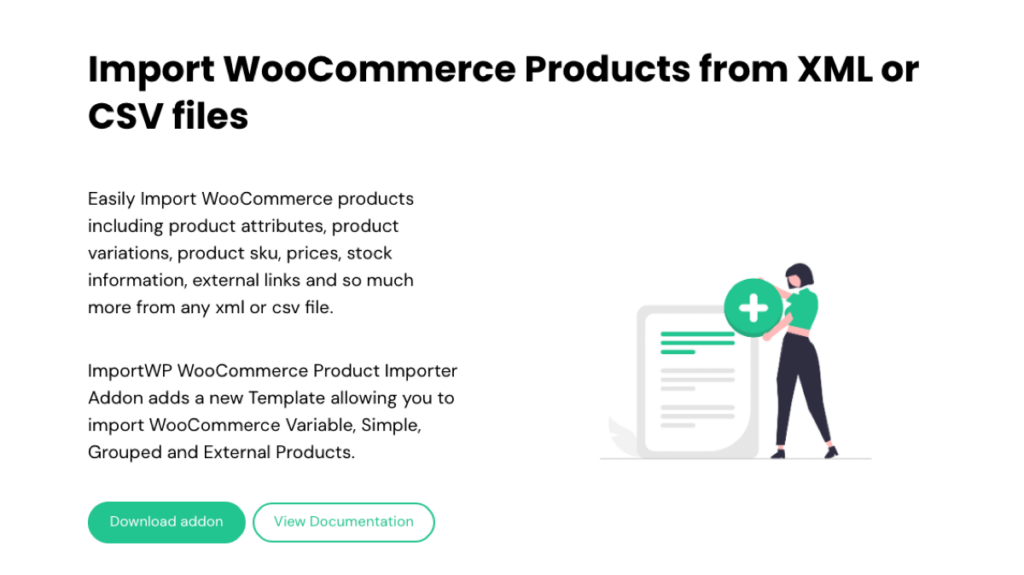
Import WP is a WordPress import plugin that handles WooCommerce product catalogs through an installable WooCommerce add-on. Unlike plugins that analyze incoming spreadsheet columns and build field mappings automatically, Import WP uses a visual data selector that requires store owners to select columns and pair them with target product fields one by one. It reads CSV and XML files, but does not natively open Excel spreadsheets.
For product images, the plugin provides a Product Gallery section where store owners can map image URLs or local filenames to product records. It includes a media library check that attempts to reuse previously uploaded image files rather than downloading duplicates during subsequent import passes. However, if a supplier CSV contains complex image formatting, such as URLs wrapped in quotation marks or multiple images concatenated without clean delimiters, the plugin cannot clean those strings during the import.
Variable products are supported by configuring parent and variation rows in sequence. Store owners must ensure the CSV contains specific parent indicator columns so the importer can bind variation records to their corresponding parent products. If the supplier file structures variations across unconventional columns or uses non-standard attribute formats, the importer cannot reorganize the hierarchy on upload.
The main operational limitation of Import WP is the lack of data modification. The plugin does not have an inline PHP editor or formula builder to alter field content during the import. If wholesale numbers require recalculation into retail prices, or if incoming categories need reformatting to match WooCommerce taxonomy slugs, the modifications must be completed manually inside a spreadsheet program before uploading the file. Furthermore, automated scheduling and custom field imports are excluded from the free version and require upgrading to the paid tier.
Pricing
Import WP is available for free on WordPress.org, with the WooCommerce add-on available separately at no cost to enable basic product imports. The commercial upgrade, Import WP Pro, is priced at $59 per year for a single-site license and adds scheduled cron imports, custom field mapping, and support for custom post types.
4. Product Import Export for WooCommerce
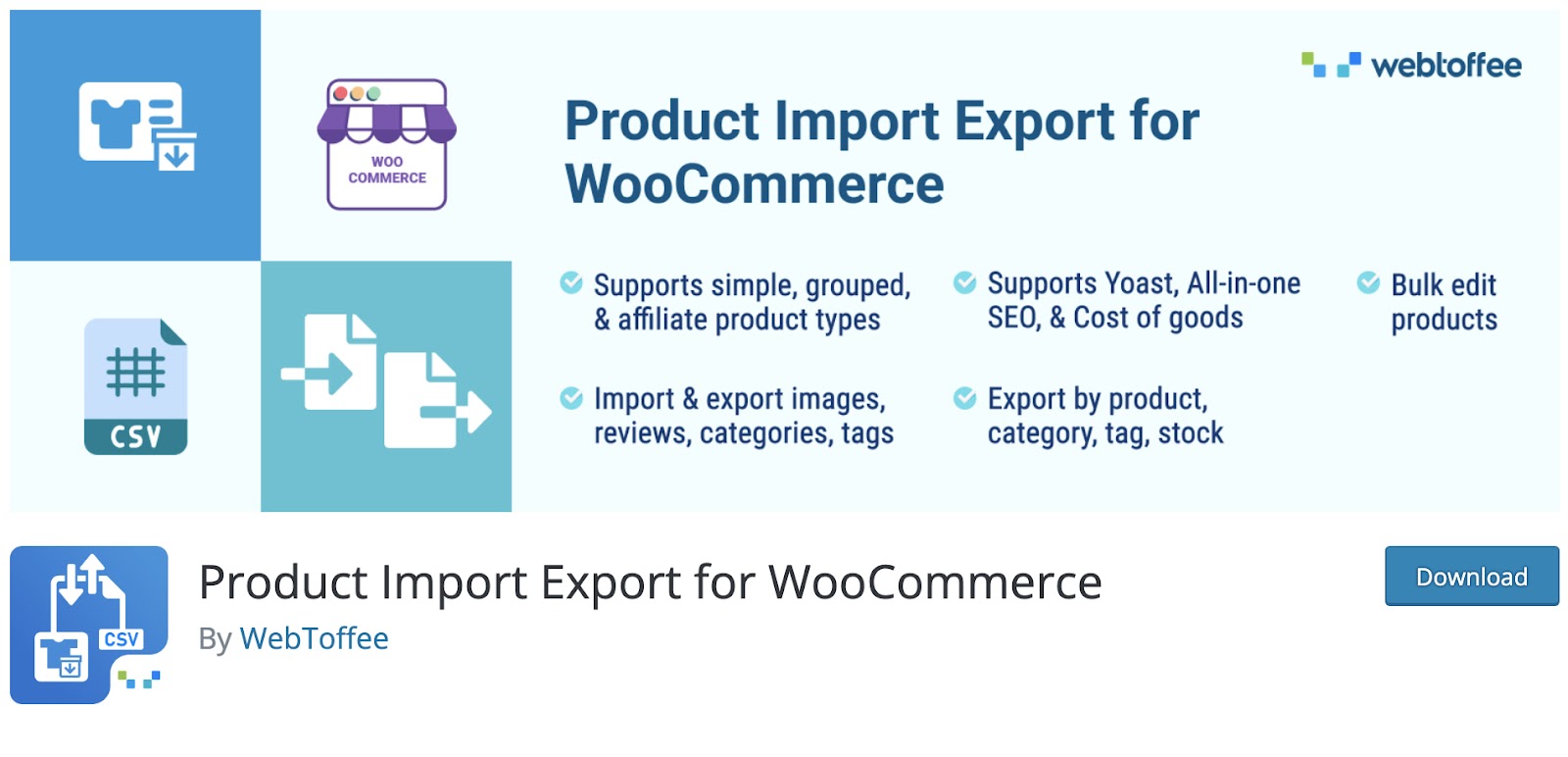
Product Import Export for WooCommerce imports product catalogs from CSV spreadsheets using a dropdown-based column mapping wizard. Unlike plugins that detect spreadsheet structures and build field relationships automatically, this plugin requires store owners to inspect every incoming column header and match it to WooCommerce product fields manually through dropdown menus.
Data format flexibility is where the plugin faces operational boundaries. While it provides standard fields for simple and variable products, it requires supplier spreadsheets to conform closely to WooCommerce database conventions. If incoming attribute values or custom fields do not match your store’s structure, the plugin cannot reformat them on the fly.
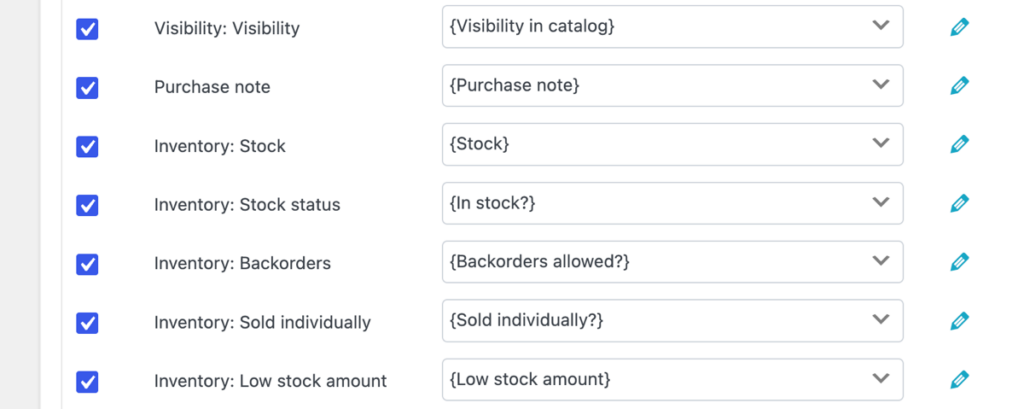
For price adjustments, the plugin includes an “Evaluate Field” tool that performs basic arithmetic operations, such as applying a percentage markup or adding a fixed sum to numeric price columns. However, it lacks an inline function editor for general data modifications. It cannot execute custom PHP functions to clean up irregular text strings, strip unexpected quotation marks from image links, or divide combined titles during the import. Variable products also require a strict file layout: child rows must include both SKU and Parent_SKU values, with no alternate linking methods available if a supplier structures variations differently.
Image handling supports external URLs and media library filenames through delimiter-separated columns. However, options for skipping empty image cells across varying column counts or mapping custom image metadata are limited. Additionally, while the plugin handles WooCommerce products and basic store data, it does not provide comprehensive coverage across all standard WordPress post types and custom taxonomies.
Pricing
Product Import for WooCommerce has a free version that can be downloaded from WordPress.org. The Pro version starts at $69/year for a single-site license and includes the advanced features.
5. WooCommerce Product CSV Import Suite

WooCommerce Product CSV Import Suite is a paid extension developed by Woo for moving catalog data in and out of WooCommerce via CSV files. Instead of analyzing incoming spreadsheets and mapping fields automatically, the extension relies on store owners constructing their CSV files to match its exact column schema.
The plugin provides no features for modifying data during an import. Handling variable products is also divided into a two-step process requiring two separate CSV files: parent products must be imported first, followed by a separate import pass to attach the child variation records.
Woo has stated in its documentation that this extension will eventually be phased out as its features are merged directly into WooCommerce core. The plugin supports CSV files only, meaning XML, Excel, and remote data feeds cannot be used, and its marketplace rating currently stands at 2.8 out of 5 stars on WooCommerce.com.
Pricing
WooCommerce Product CSV Import Suite is a premium-only plugin, and it costs $59/year.
Which Is the Best Plugin for a WooCommerce CSV Product Import?
WP All Import is the best plugin for importing WooCommerce products from CSV files because its Automatic Setup eliminates manual mapping while still providing advanced data transformation features. For standard supplier spreadsheets, Automatic Setup inspects the incoming columns and builds the field mappings automatically, allowing imports to complete in moments with zero configuration. When files arrive with formatting complications, such as grouped image URLs or wholesale pricing requiring retail markups, its visual interface and built-in PHP editor resolve those issues directly inside the import without manual spreadsheet preparation.
The other plugins on this list each introduce operational bottlenecks:
- Woo Import Export requires writing custom PHP functions inside your active theme’s files to execute data modifications.
- Product Import Export for WooCommerce and Import WP require manual column-by-column mapping and cannot alter data formats on the fly.
- WooCommerce Product CSV Import Suite requires files to match a rigid schema and splits variable product imports into two separate CSV passes.
For store owners who want the fastest automated setup for standard catalogs alongside the technical depth to process irregular supplier feeds, WP All Import is the definitive choice.
WooCommerce CSV Product Import – FAQs
How to upload product CSV in WooCommerce?
To upload a product CSV in WooCommerce using WP All Import:
- Go to All Import › New Import and click the Set up automatically banner at the top of the screen.
- Upload your CSV file, then select WooCommerce followed by Products.
- Click Start Automatic Setup to let the plugin analyze the data and build field mappings.
- Check the summary card showing mapped fields and the confidence score, then click Run Import.
How do I import a CSV file into WordPress?
To import a CSV file into WordPress, navigate to All Import › New Import in WP All Import and click the Set up automatically banner. Upload your CSV file, choose your target post type (such as Posts, Pages, or Products), and click Start Automatic Setup. The plugin analyzes the column structure, maps your fields automatically, and displays a confidence score before you run the import.
How do I import products from Excel to WooCommerce?
To import products from Excel to WooCommerce, go to All Import › New Import in WP All Import and open the Set up automatically wizard. Upload your XLS or XLSX spreadsheet, select WooCommerce, then Products, and click Start Automatic Setup. WP All Import parses the Excel spreadsheet natively and maps product titles, prices, and inventory without requiring you to convert the file to CSV.
How Do I Handle a CSV Product Import for WooCommerce?
The most reliable way to handle a WooCommerce CSV product import is using Automatic Setup in WP All Import. Open All Import › New Import, click Set up automatically, upload your file, and select WooCommerce Products. The wizard identifies product types, maps fields, and generates a confidence score automatically. For complex feeds, you can review the auto-mapped template to fine-tune fields or add PHP functions before running the import.
What’s the Best Plugin for a WooCommerce CSV Product Import?
WP All Import is the best plugin to import products from CSV to WooCommerce, thanks to its drag-and-drop field mapping, and built-in function editor for handling unusual supplier data formats. The plugin makes it easier to import WooCommerce products via CSV at scale; this is exactly why it ranks #1 on this list.
Further Reading
Get Oxygen
Build it your way with Oxygen.
Not per year, not per site, not per seat. 60 day money back guarantee.